Useful Tool to Record, Convert and Edit Media Files
Many users have been looking for a fast and easy method to enjoy their favorite videos. Video Download Capture offers a host of unique options that can be accessed in no time at all.
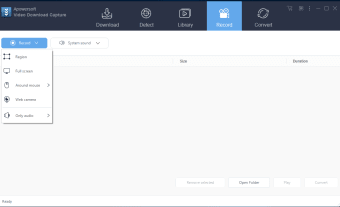
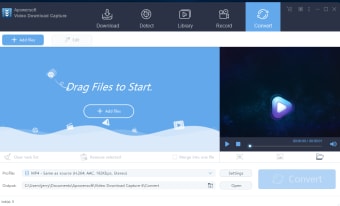
Video Download Capture can be thought of as an all-in-one video editing and reproduction suite. Users now have the ability to record streaming videos for later playback. It is also possible to use this tool as a screen capturing device. Once a file has been successfully downloaded, it can be converted into various different formats. This is particularly useful in the event that the media will be shared with other devices such as mobile phones. Embedded flash videos will be recorded within an entire screen if desired.
Additional Technical Information
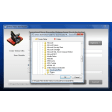
Video Download Capture is associated with a seven-day free trial before a paid download is required. Another useful feature is that the application is able to support drop-and-drag functionality. So, files will no longer have to be copied from one location to another. This will save a great deal of time.
Pros
Video Download Capture provides users with all of the necessary editing tools.
This application can record flash video files.
Cons
Users have complained that major video portals such as Hulu are not supported.
There is no free version of this software currently available.
Free download and convert online videos, music, movie clips, TV episodes and more
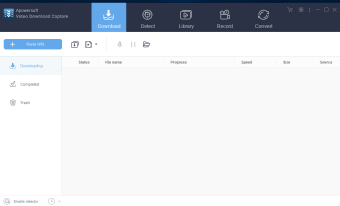
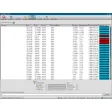
Using Video Download Capture, downloading and converting your favorite videos becomes super easy and fast. Users will take no effort to download videos from tons of video sharing sites including YouTube, Vime, Veoh, Break, Facebook, Dailymotion, Hulu etc and perfectly convert videos to Zune, MP4 players, Apple iPhone/iPad/iPod, Android devices, PSP with high definition video or audio formats such as MP4, AVI, 3GP, MOV, MKV, AAC, OGG etc. Just enjoy online videos wherever and whenever you please.
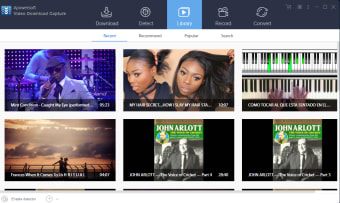
Video Download Capture is more than video downloader and converter; it also combines with other functions such as Video editor, built-in media player, advanced video recorder, screen recorder and social bookmaking sharing function etc. That’s to say, this software is fully-featured and deserved to be called all-in-one video capturing software. It’s your choice to edit video by trimming, cropping, enabling effect etc, record screen activities, play all types of videos on the app, record RTMP videos or share your preferable videos to social network sites.
A lot of general video downloading apps can be applied to downloading streaming video. But compared with those of other software on the market, this program is superior in its complete functions and simple operation. With it, just a few clicks to finish downloading or format conversion at accelerated speed, and download any videos from 100% sites including live video stream sites or RTMP protocol sites like Hulu, CNN, Ovguide, Netflix etc.
Well worth what I payed fo it. Love it, best I found yetNo unwanted add on, like viruses, spyware and other malicious programs.Very impressed with the features and how it operates. Pros: captures videos I search for with a browser.Shows download details. Cons: At this time nothing.
Anonymous user
3 Day trail, avoid!. Doesn't work with Hulu & this is a limited 3 DAY TRIAL ONLY! Since they wanted a longer review, well... it was complete waste of my time. Pros: Simple Cons: Needs to work as listed3 DAY TRIAL! Should not be listed as free.
Laws concerning the use of this software vary from country to country. We do not encourage or condone the use of this program if it is in violation of these laws. Softonic does not encourage or condone the illegal streaming, duplication or distribution of copyrighted content. You are solely responsible for any use of the service. Softonic may receive a referral fee if you click or buy any of the products featured here.